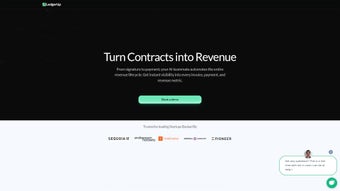

Download LedgerUp – AI‑Powered Bookkeeping Tool for Small Business
Overview: Why LedgerUp Is Changing Small‑business Finance
LedgerUp is an AI‑driven bookkeeping platform built for small‑ to medium‑sized enterprises that need a reliable, secure, and automated way to keep their finances in order. In today’s fast‑paced market, business owners spend countless hours reconciling invoices, tracking cash flow, and searching for hidden cost‑savings. LedgerUp eliminates those pain points by leveraging machine learning to capture, categorize, and analyze every transaction in real time. The result is a single, clean dashboard that delivers instant insight into profit margins, upcoming liabilities, and growth opportunities.
Small businesses often juggle multiple financial systems—bank accounts, e‑commerce stores, payroll services, and tax software—creating data silos that increase error risk. LedgerUp’s unified data model pulls information from over 200 + third‑party services, consolidating everything into a coherent view. This eliminates duplicate entry, reduces human error by up to 70 %, and frees staff to focus on revenue‑generating activities instead of manual ledger maintenance.
Beyond the core bookkeeping functions, LedgerUp integrates seamlessly with popular accounting suites, e‑commerce platforms, and payroll services. This connectivity means that data flows automatically between systems, reducing manual entry errors and freeing up staff to focus on strategic tasks. The platform’s real‑time alerts keep stakeholders informed about cash‑flow thresholds, overdue invoices, and budget variances, allowing quick corrective actions before issues become critical.
Security is baked into every layer of LedgerUp. All data is encrypted at rest and in transit, and the service complies with GDPR, SOC 2, and ISO 27001 standards, giving peace of mind to businesses handling sensitive financial information. Regular automatic updates guarantee that users always have the latest AI models, security patches, and feature enhancements without any extra effort.
In short, LedgerUp is not just another bookkeeping app—it is a strategic financial partner that turns raw data into actionable intelligence, helping businesses of any size to plan, grow, and stay financially healthy. Whether you are a solo entrepreneur or a mid‑size retailer, the platform scales with you, offering tiered pricing and modular add‑ons that grow alongside your revenue.
Key Features & Benefits That Set LedgerUp Apart
- AI‑Powered Transaction Capture: Automatic import of bank statements, credit‑card feeds, and receipt scans. The AI engine intelligently categorizes expenses, matches invoices, and flags anomalies.
- Real‑Time Cash‑Flow Dashboard: Visual graphs and KPI widgets show current cash position, projected inflows/outflows, and liquidity ratios at a glance.
- Smart Savings Recommendations: LedgerUp analyzes spending patterns and suggests cost‑cutting measures, bulk‑purchase discounts, and vendor renegotiations.
- Seamless Integrations: Native connectors for QuickBooks, Xero, Shopify, WooCommerce, Gusto, and over 200 + third‑party apps via API.
- Automated Bill & Invoice Management: Create, send, and track invoices directly from the platform. Automatic reminders reduce days sales outstanding (DSO).
- Multi‑User Access & Role‑Based Permissions: CFOs, accountants, and team members get customized views and editing rights, ensuring data integrity.
- Regulatory Compliance & Audit Trail: Every change is logged with timestamped records, simplifying tax filing and external audits.
- Secure Cloud Hosting: End‑to‑end encryption, daily backups, and 99.9 % uptime SLA keep your financial data safe and always available.
- Custom Reporting Engine: Build and schedule PDF, CSV, or Excel reports tailored to specific stakeholders—board members, investors, or lenders.
- Mobile Companion App: Capture receipts on the go, approve invoices, and view cash‑flow summaries from iOS or Android devices.
Each of these features is designed to reduce the time spent on repetitive bookkeeping tasks by up to 70 %, while simultaneously improving the accuracy of financial statements. The AI models continuously learn from your business’s unique patterns, becoming more precise with every transaction processed. This adaptability makes LedgerUp a future‑proof solution that scales as your company grows.
For example, the Smart Savings Recommendations module not only highlights obvious overspending but also runs scenario analysis to show how a 5 % reduction in a specific expense category could boost net profit. The Real‑Time Cash‑Flow Dashboard refreshes every few seconds, giving CEOs an up‑to‑date view of liquidity without waiting for month‑end closing. Meanwhile, the Custom Reporting Engine allows you to embed company branding and footnotes directly into PDFs, making stakeholder communication smoother.
All features are backed by a robust API layer, meaning developers can build custom workflows or integrate LedgerUp data into BI tools such as Power BI or Tableau. This openness ensures that even highly specialized businesses can extract the exact metrics they need without compromising on security or performance.
Installation, Usage & Compatibility: Getting Started in Minutes
LedgerUp follows a straightforward, cloud‑first deployment model. After you sign up for a free trial, you’ll receive a secure invitation link to create your admin account. The web‑based interface works in any modern browser (Chrome, Edge, Firefox, Safari) and requires no local installation, which means updates are applied automatically without downtime.
Step‑by‑step installation:
- Visit the official LedgerUp download page and click “Start Free Trial.”
- Enter your business email, set a strong password, and verify your account via the confirmation email.
- Complete the onboarding wizard: connect your bank accounts, credit cards, and any existing accounting software using OAuth or API keys.
- Upload historical invoices and receipts (drag‑and‑drop or bulk CSV import). The AI begins categorizing instantly.
- Invite team members and assign roles (e.g., Accountant, Manager, Viewer). Configure notification preferences.
Once the initial sync is finished—usually within 10‑15 minutes—you’ll see a live snapshot of your financial health on the dashboard. From there, you can start creating invoices, setting up recurring bills, or generating custom reports.
Supported Operating Systems: Because LedgerUp is a SaaS solution, it runs on Windows 10/11, macOS 12 and later, Linux browsers, as well as iOS 13+ and Android 9+ via the dedicated mobile app. The mobile app mirrors the core web functionality, allowing you to approve expenses, view cash‑flow alerts, and capture receipts with your device’s camera.
For businesses with strict IT policies, LedgerUp also offers a self‑hosted option on‑premise or within private cloud environments (AWS, Azure, Google Cloud). This deployment includes the same AI engine and security certifications, giving you full control over data residency while preserving the seamless user experience.
Best‑practice tips: enable two‑factor authentication for all admin accounts, set up role‑based permissions before inviting staff, and schedule a weekly “data health” review to verify that AI categorization aligns with your internal chart of accounts. These simple steps dramatically reduce the risk of mis‑classification and ensure audit‑ready records at all times.
Pros, Cons, Frequently Asked Questions & Final Verdict
Pros
- Highly automated workflow reduces manual data entry.
- AI‑driven insights uncover hidden savings and growth opportunities.
- Broad integration ecosystem eliminates siloed data.
- Secure, GDPR‑compliant cloud hosting with regular automatic updates.
- Scalable from solo entrepreneurs to mid‑size enterprises.
- Intuitive mobile app enables on‑the‑go receipt capture and approval.
- Robust audit trail simplifies tax filing and regulatory reporting.
Cons
- Initial setup may require a brief learning curve for non‑technical users.
- Advanced customization of reports is limited to the built‑in report builder (export to CSV for deeper analysis).
- Self‑hosted deployment involves additional infrastructure costs.
- Some niche industry integrations still rely on manual CSV imports.
Frequently Asked Questions
Is LedgerUp suitable for freelancers?
Yes. The free tier offers essential bookkeeping features, automated receipt capture, and basic cash‑flow reporting, making it ideal for solo professionals.
Can LedgerUp handle multiple currencies?
Absolutely. LedgerUp supports over 30 currencies and automatically applies real‑time exchange rates, which is perfect for e‑commerce businesses selling internationally.
How does LedgerUp ensure data security?
All data is encrypted both at rest and in transit using AES‑256 and TLS 1.3. The platform adheres to GDPR, SOC 2, and ISO 27001 standards, and undergoes quarterly penetration testing.
What kind of support does LedgerUp provide?
Users receive 24/7 email support, live chat during business hours, and access to a comprehensive knowledge base. Premium plans include a dedicated account manager.
Is there a free trial or a free version?
LedgerUp offers a 14‑day free trial with full feature access. After the trial, a free tier remains available with limited transaction volume, while paid plans start at $29 per month.
Can I migrate existing data from other accounting tools?
Yes. LedgerUp includes a guided migration wizard that supports CSV, Xero, QuickBooks, and Sage imports, ensuring a smooth transition with minimal manual cleanup.
Conclusion & Call to Action
LedgerUp delivers a compelling blend of AI automation, real‑time analytics, and secure cloud hosting that addresses the core bookkeeping challenges faced by growing businesses. While a modest learning curve exists for first‑time users, the long‑term time savings and strategic insights outweigh the initial effort. Whether you are a freelancer looking for a free, secure way to track expenses, or a midsize company seeking a scalable financial hub, LedgerUp provides a robust, future‑ready solution.
Ready to simplify your books and unlock hidden savings? Download LedgerUp now and start your 14‑day free trial. Experience the power of AI‑driven bookkeeping without risking a penny—your financial health is just a click away.



.png)



